UCSD is a large and academically intense campus, yet opportunities for spontaneous interaction are surprisingly rare.
I wanted to design something simple, playful, and shareable—an experience that could invite strangers to pause, take a photo, and form a small moment of connection.
During a KSEA leadership meeting, I proposed launching a student-run photobooth that would bring students together before finals, create a warm social experience, give KSEA a creative presence on campus, and let UCSD not socially dead but more connected. This project became an opportunity to blend front-end development, visual identity design, and event experience design into one cohesive project.
UCSD is a large and academically intense campus, yet opportunities for spontaneous interaction are surprisingly rare.
I wanted to design something simple, playful, and shareable—an experience that could invite strangers to pause, take a photo, and form a small moment of connection.
During a KSEA leadership meeting, I proposed launching a student-run photobooth that would bring students together before finals, create a warm social experience, give KSEA a creative presence on campus, and let UCSD not socially dead but more connected. This project became an opportunity to blend front-end development, visual identity design, and event experience design into one cohesive project.
UCSD is a large and academically intense campus, yet opportunities for spontaneous interaction are surprisingly rare.
I wanted to design something simple, playful, and shareable—an experience that could invite strangers to pause, take a photo, and form a small moment of connection.
During a KSEA leadership meeting, I proposed launching a student-run photobooth that would bring students together before finals, create a warm social experience, give KSEA a creative presence on campus, and let UCSD not socially dead but more connected. This project became an opportunity to blend front-end development, visual identity design, and event experience design into one cohesive project.
Photo Frame Design
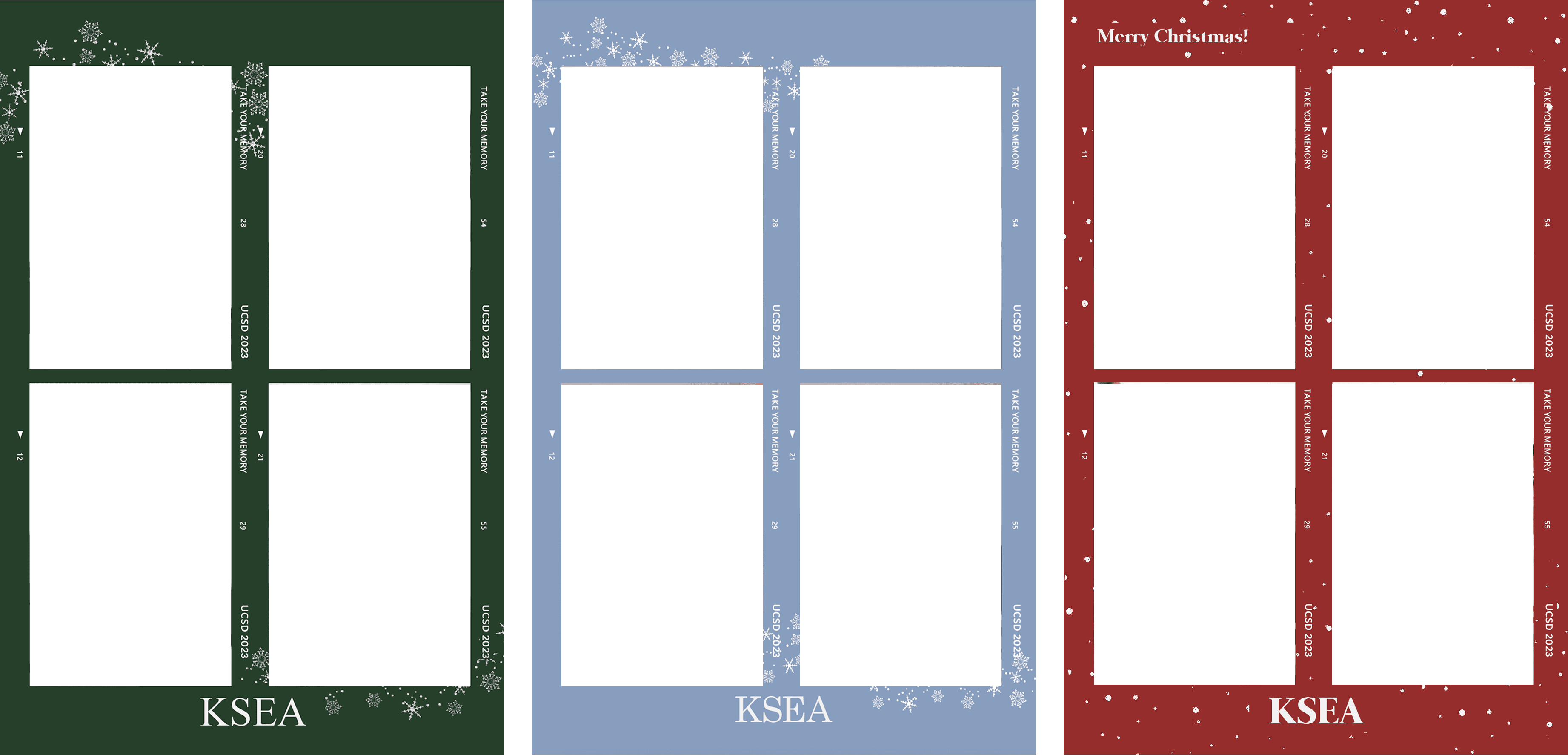
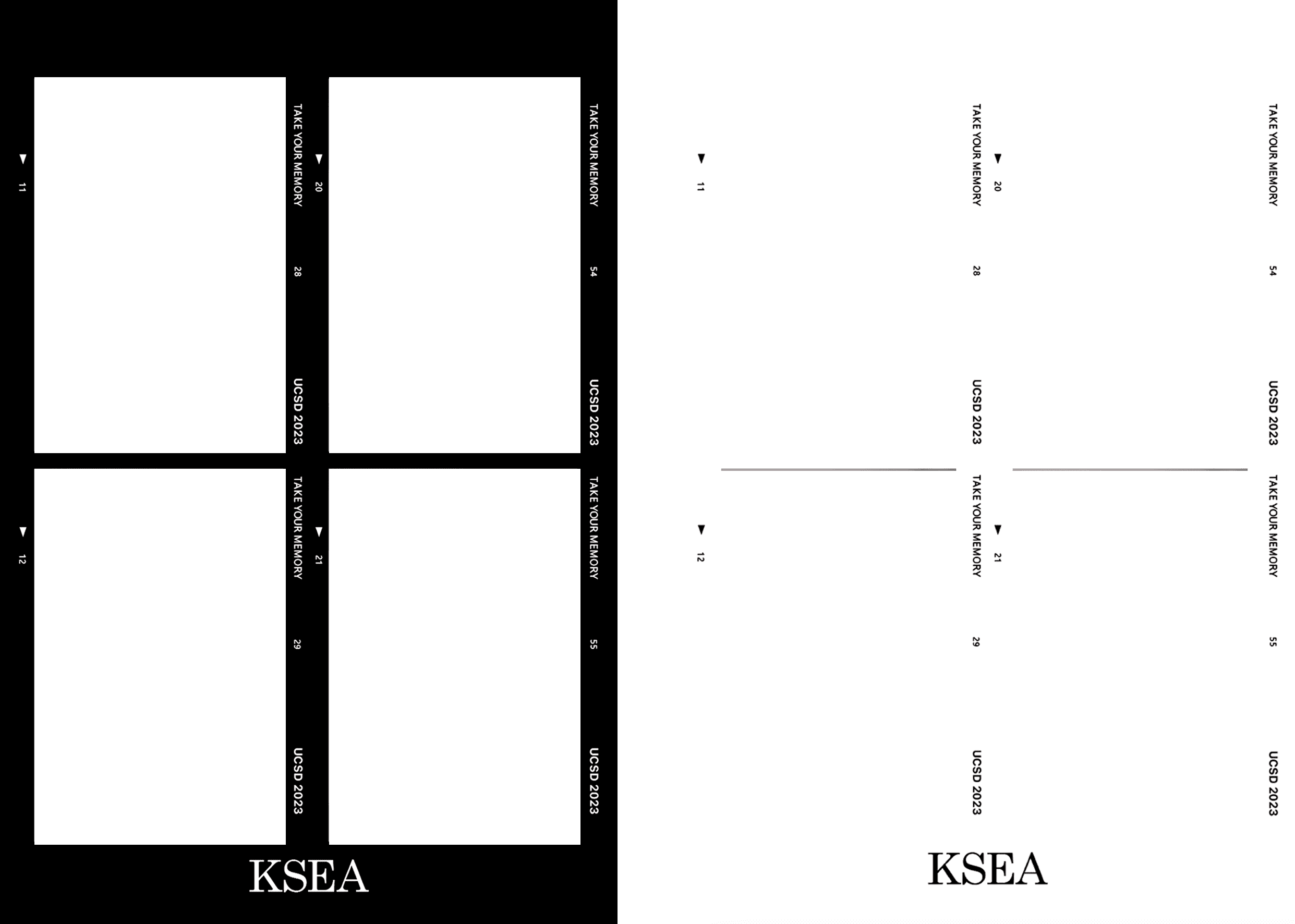
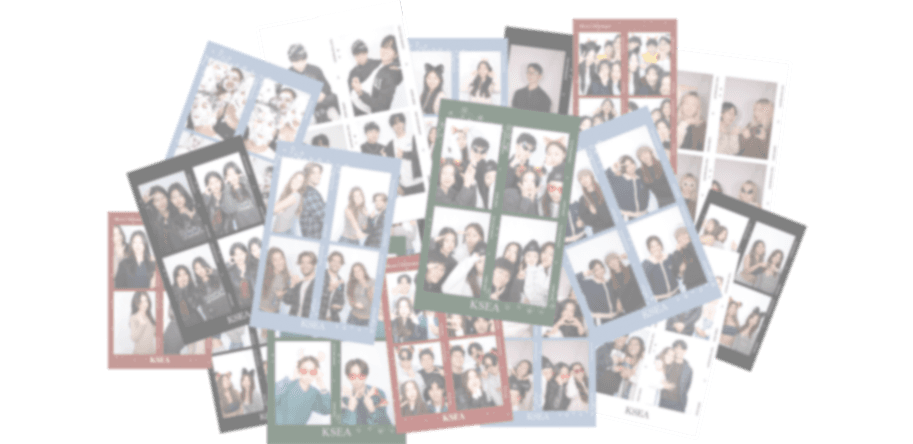
I designed multiple custom frames using Adobe Photoshop and Figma, each reflecting a different seasonal or visual concept.
The final set included the holiday theme (Green, Blue, Red) using winter icons and seasonal colors and classic film theme (Black) that is clean and minimal. These designs were used directly in the photobooth interface and printed physical copies.
Season Christmas-Themed Frame
Building the Booth
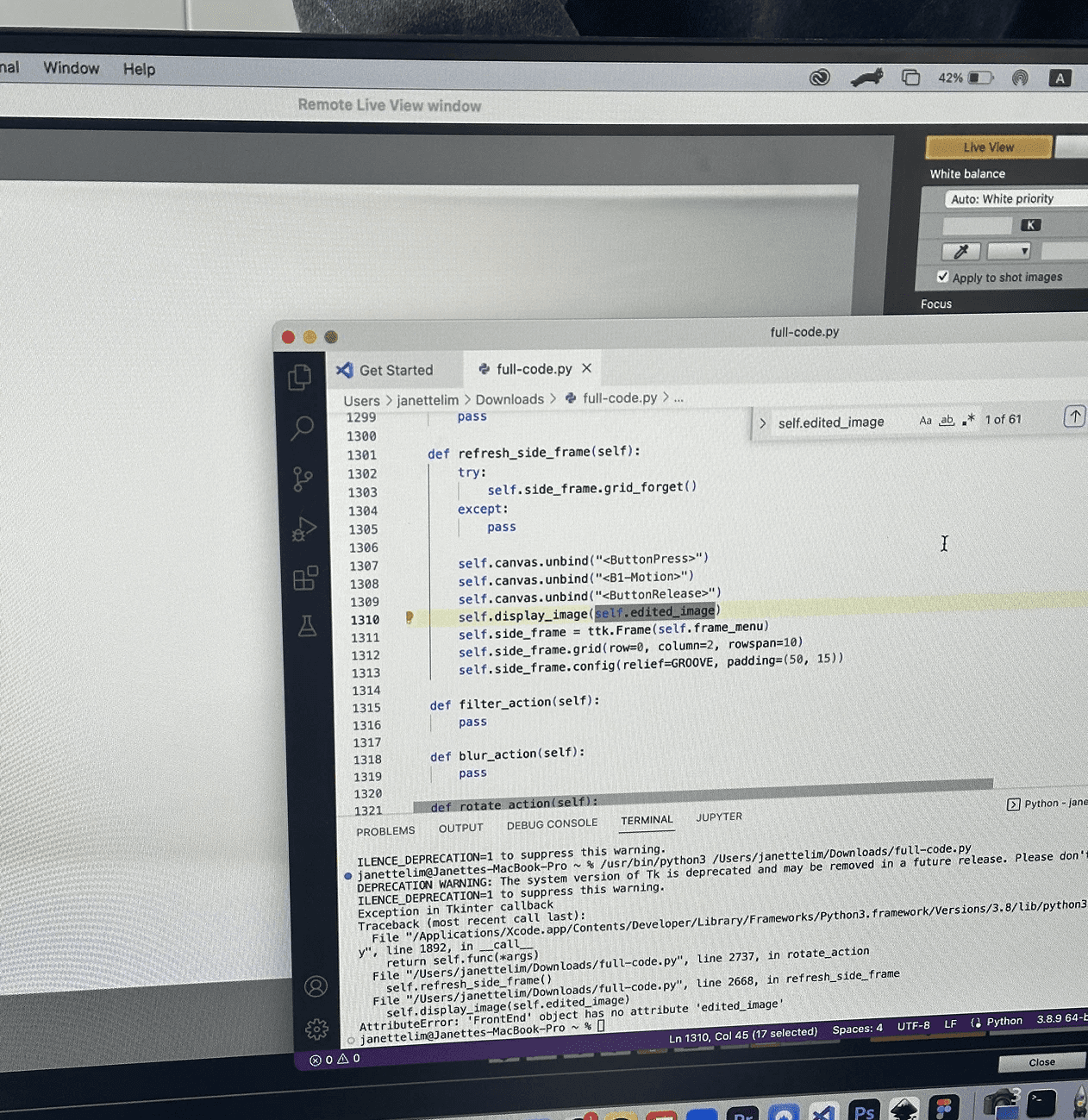
To bring the photobooth experience to life, I built the entire interface using Python (Tkinter) and JavaScript/Canvas-based overlays. The goal was to build system that embeds the image into the frame instantly after they select the image.
Some of the features included:
Live Camera Feed + Frame Overlay
I used the camera API to stream a live preview while letting users dynamically select one of the custom-designed frames. The UI automatically merged the chosen frame with the captured image using a Canvas-based rendering flow.
Countdown Interaction
To recreate the fun tension of real photobooths, I implemented a smooth 3-second countdown animation before capturing each shot. This helped students prepare, pose, and enjoy the moment.
Real-Time Image Processing
After the photo was taken, the system saved the raw captured image, layered the selected frame on top, exported a final photo-strip file
This workflow ensured quick turnaround so students could receive their photos immediately.
To bring the photobooth experience to life, I built the entire interface using Python (Tkinter) and JavaScript/Canvas-based overlays. The goal was to build system that embeds the image into the frame instantly after they select the image.
Some of the features included:
Live Camera Feed + Frame Overlay
I used the camera API to stream a live preview while letting users dynamically select one of the custom-designed frames. The UI automatically merged the chosen frame with the captured image using a Canvas-based rendering flow.
Countdown Interaction
To recreate the fun tension of real photobooths, I implemented a smooth 3-second countdown animation before capturing each shot. This helped students prepare, pose, and enjoy the moment.
Real-Time Image Processing
After the photo was taken, the system saved the raw captured image, layered the selected frame on top, exported a final photo-strip file
This workflow ensured quick turnaround so students could receive their photos immediately.
To bring the photobooth experience to life, I built the entire interface using Python (Tkinter) and JavaScript/Canvas-based overlays. The goal was to build system that embeds the image into the frame instantly after they select the image.
Some of the features included:
Live Camera Feed + Frame Overlay
I used the camera API to stream a live preview while letting users dynamically select one of the custom-designed frames. The UI automatically merged the chosen frame with the captured image using a Canvas-based rendering flow.
Countdown Interaction
To recreate the fun tension of real photobooths, I implemented a smooth 3-second countdown animation before capturing each shot. This helped students prepare, pose, and enjoy the moment.
Real-Time Image Processing
After the photo was taken, the system saved the raw captured image, layered the selected frame on top, exported a final photo-strip file
This workflow ensured quick turnaround so students could receive their photos immediately.
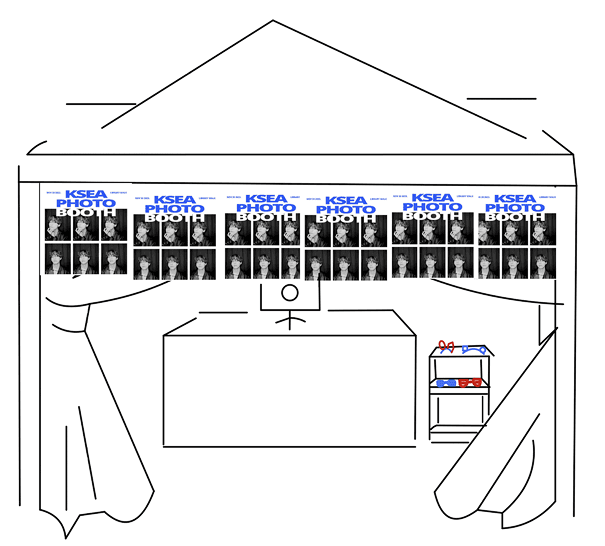
Then, my teammates and I proceeded in physical event setup. We have decided to set it up on the Geisel Walk, which is the main street of the campus to gather the most foot traffic. Based on the booth setup sketch, we have successfully installed all the equipments, segmenting the station as the greeting, instructing, and printing. Despite being a small pop-up, the line of participants quickly formed, and 60+ students joined, often taking multiple photos or inviting friends over.
To optimize the experience and more positive KSEA representation, we also sold some Korean snacks and drinks so that the students can explore the Korean snacks while waiting or after taking a photo.
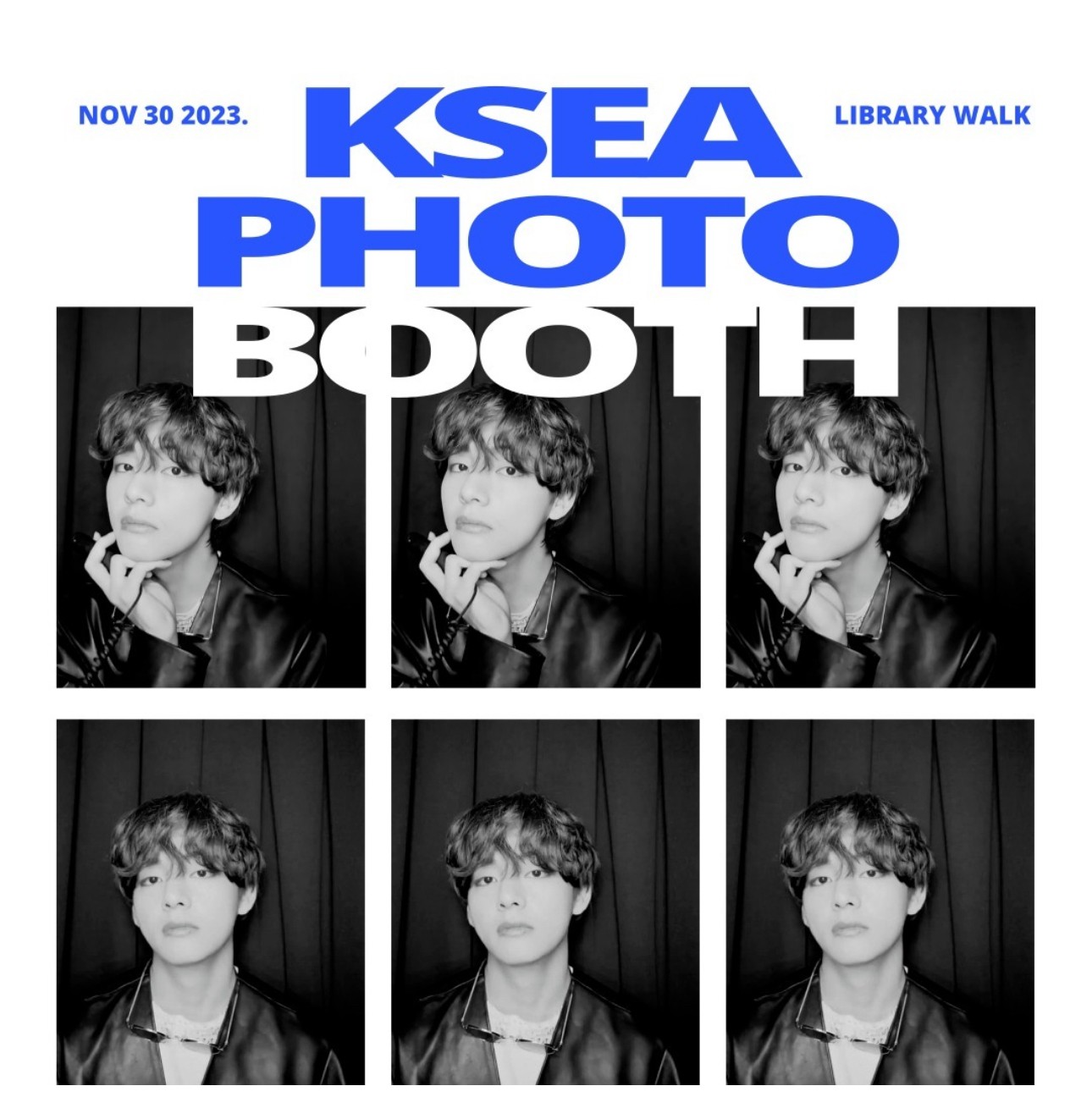
Photo Booth Setup Sketch Photobooth Poster Design
Photo Booth Setup Sketch Photobooth Poster Design
Special thanks to everyone who visited our photo booth! `॰。ཻ˚♡