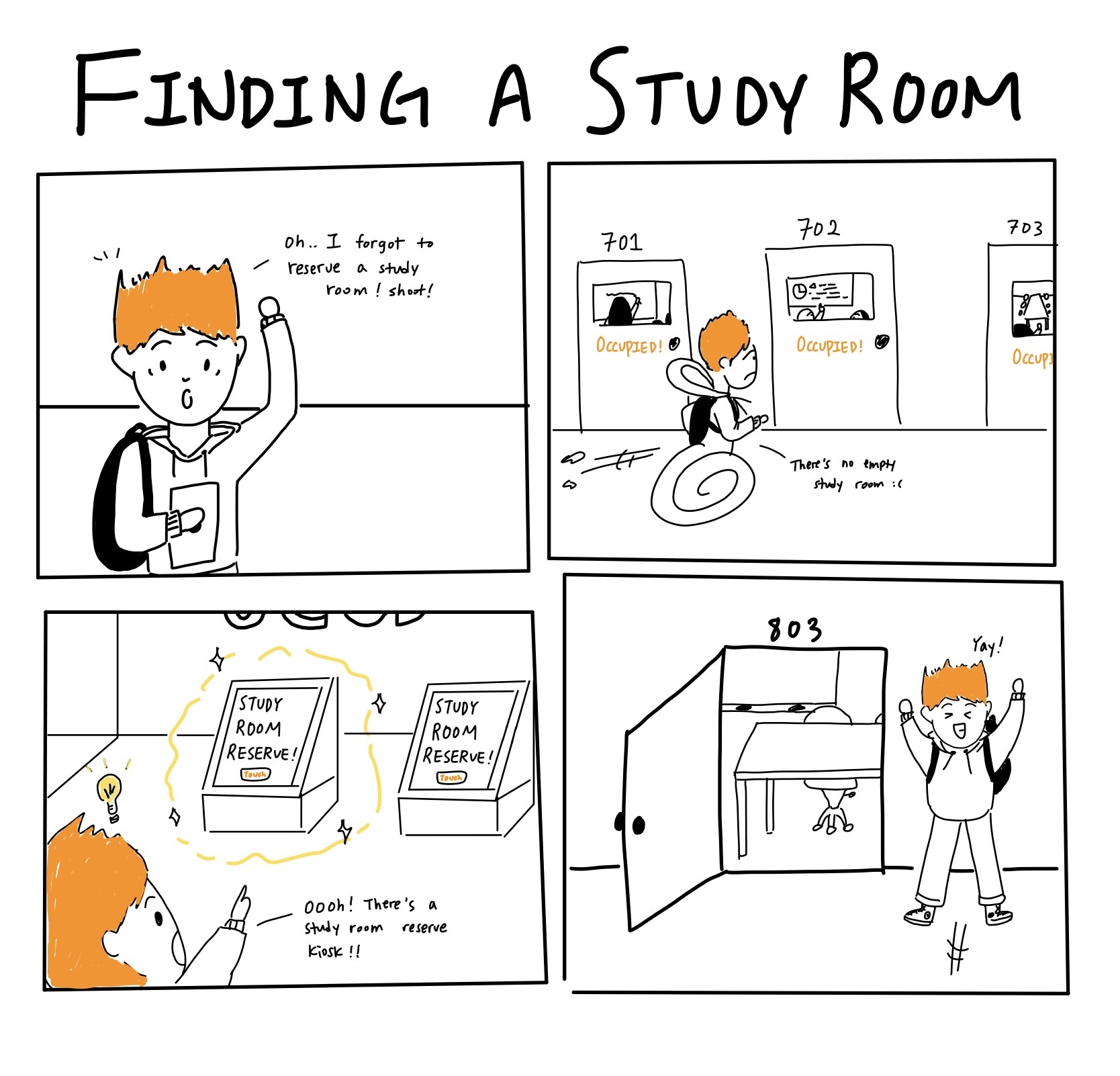
When our team was first assigned to “build a kiosk for a campus space,” I asked a simple question: Where on campus do students feel the most overwhelmed, and why? Every teammate gave the same answer: Geisel Library. Geisel Library is one of the busiest spaces at UC San Diego where hundreds of students visit Geisel Library looking for a quiet space to focus or a room to meet with their team.
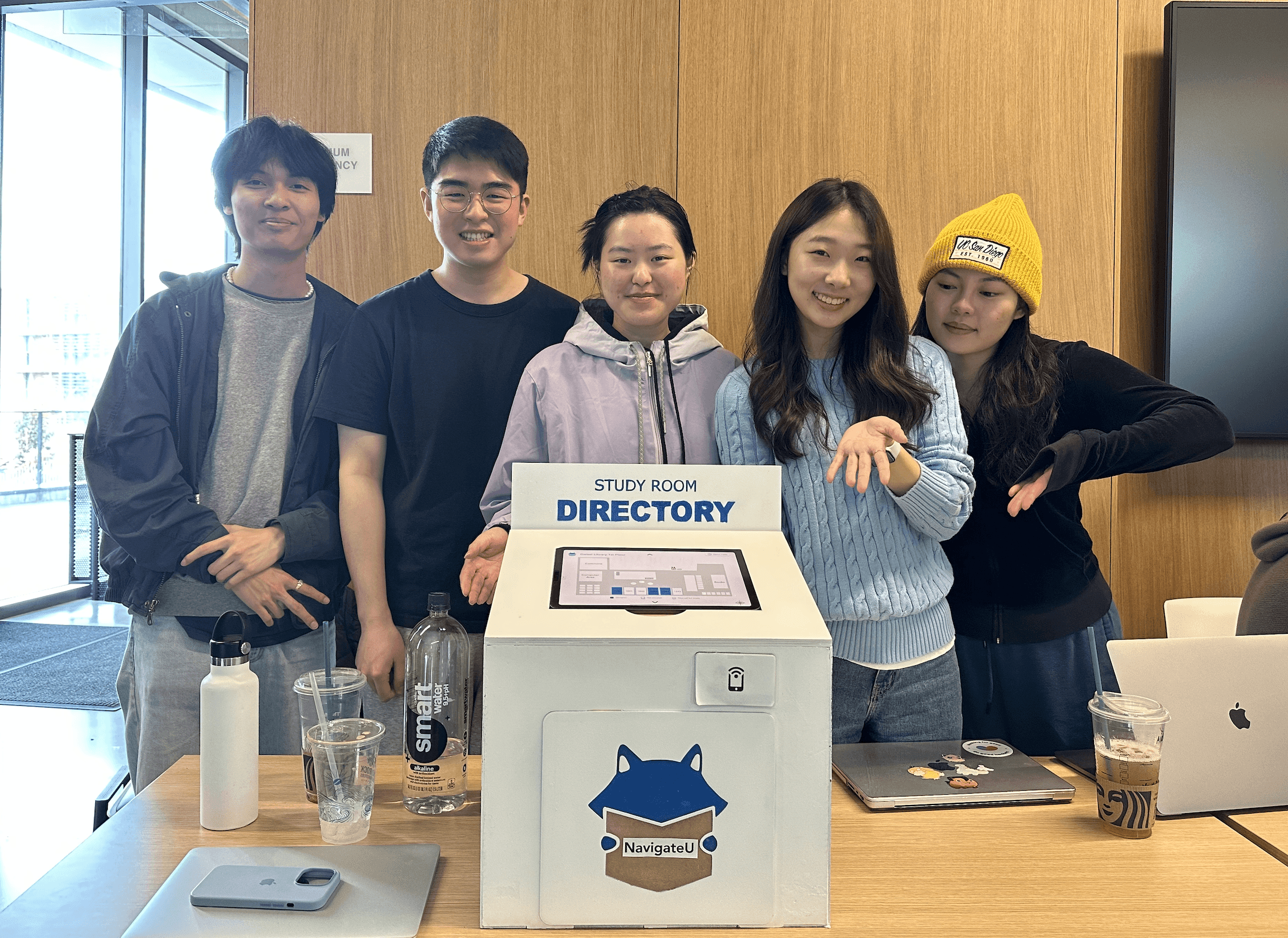
Group Photo with the Final Demo
Group Photo with the Final Demo
Starting with Research, Not Assumptions
Rather than guessing what students needed, we went to Geisel every day for a week. We spent 6 hours a day observing foot traffic, following students’ movement patterns, and asking a simple survey question: “What are you trying to do right now, and what’s making it hard?”
We saw students circle floors again and again. We saw people peeking into rooms, avoiding certain hallways, wandering with laptops in hand, hoping for luck.
One student said something that radically shifted our direction: “I stopped reserving rooms. I just walk around until I get lucky.”
At that moment, it became clear that the problem was navigation rather than reservation itself.
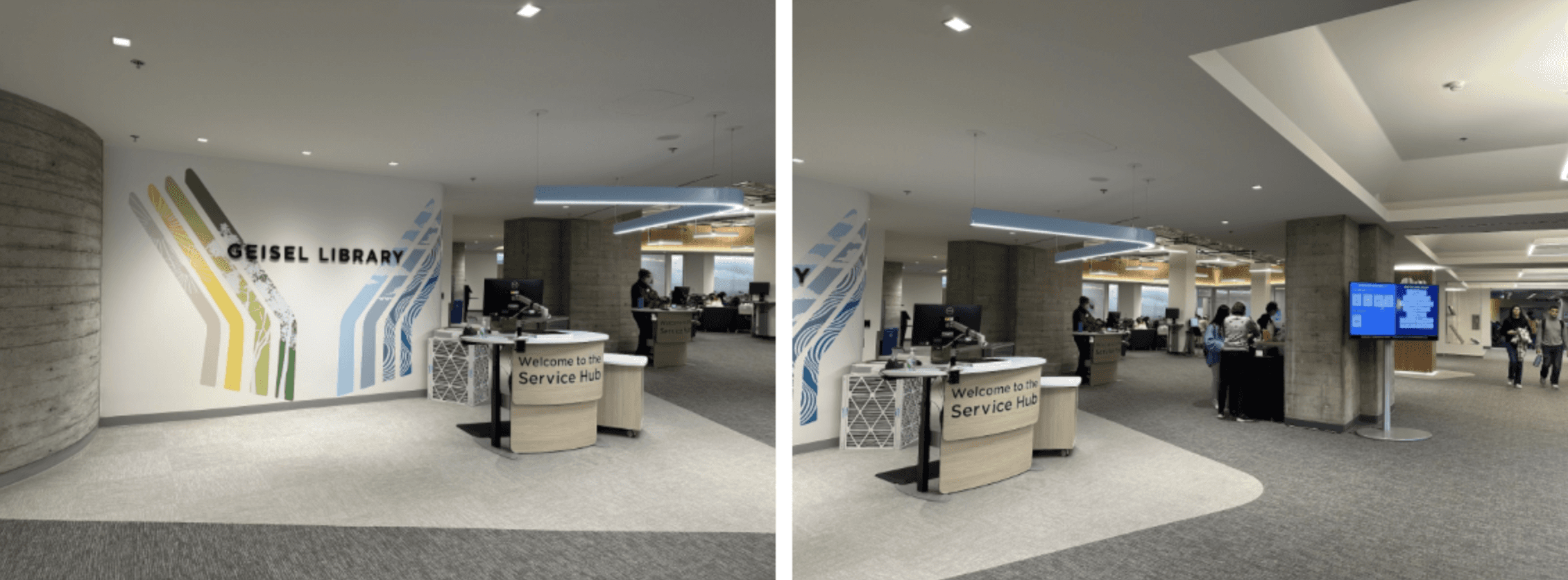
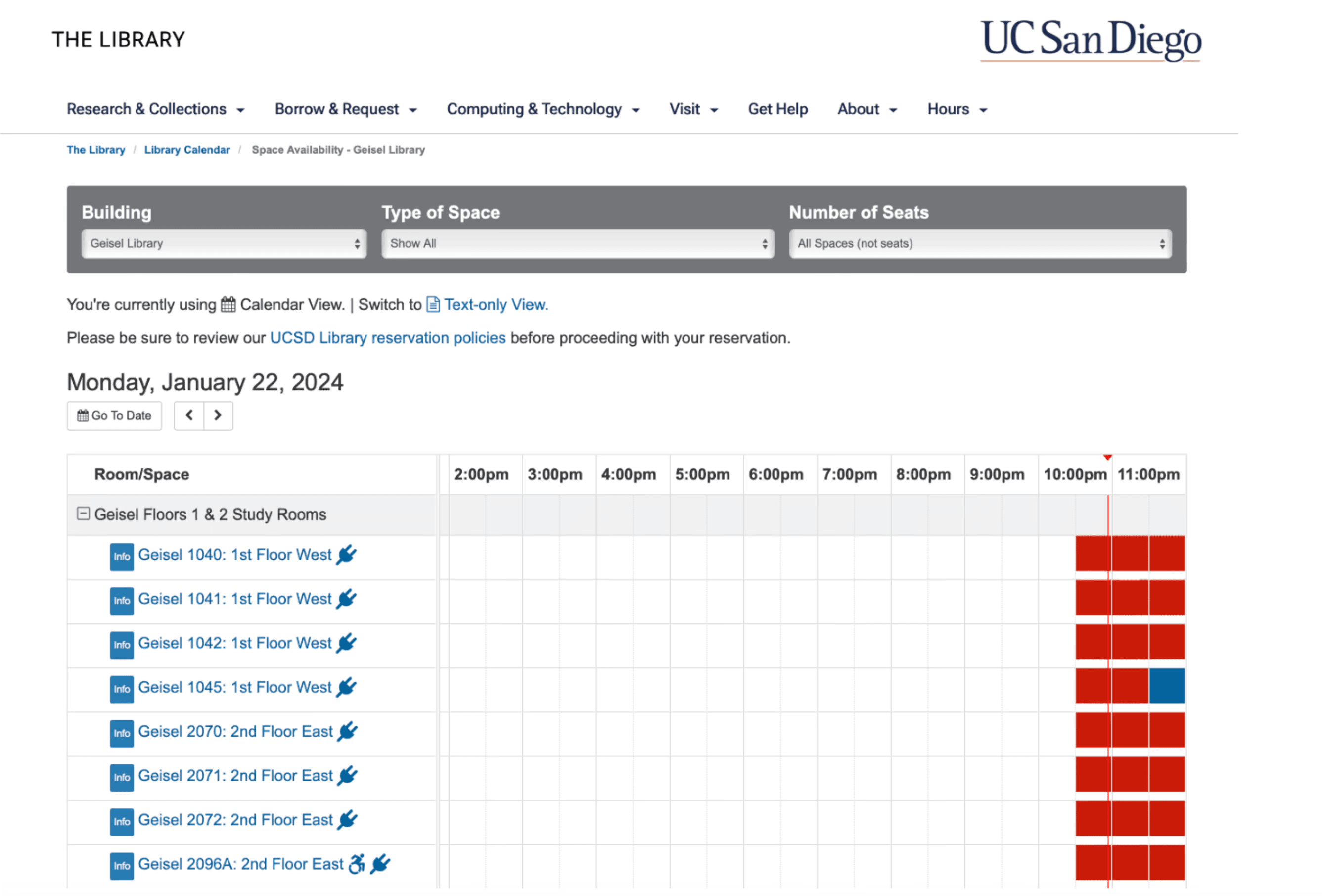
fieldwork study image (top) Initial study room reservation website (bottom)
fieldwork study image Initial study room reservation website
fieldwork study image Initial study room reservation website
Our original idea, like many teams, was to create a reservation kiosk. But after real user interviews, it became obvious that students don’t come to the library to reserve a room. They reserve online at home.
What they actually need in the moment is:
to know which rooms are available,
whether “reserved but empty” rooms can be used temporarily,
and how to get to the room without walking in circles.
So we scrapped our original concept entirely, redrew all wireframes, and started from scratch.
Our new question became: How can we help students make fast, informed decisions the moment they enter the library?
Our original idea, like many teams, was to create a reservation kiosk. But after real user interviews, it became obvious that students don’t come to the library to reserve a room. They reserve online at home.
What they actually need in the moment is:
to know which rooms are available,
whether “reserved but empty” rooms can be used temporarily,
and how to get to the room without walking in circles.
So we scrapped our original concept entirely, redrew all wireframes, and started from zero.
Our new question became: How can we help students make fast, informed decisions the moment they enter the library?
Design Iterations
We designed NavigateU, a study-room directory kiosk that lives on each floor of Geisel, with the core purpose of showing every available study room, its real-time status, and exactly how to get there.
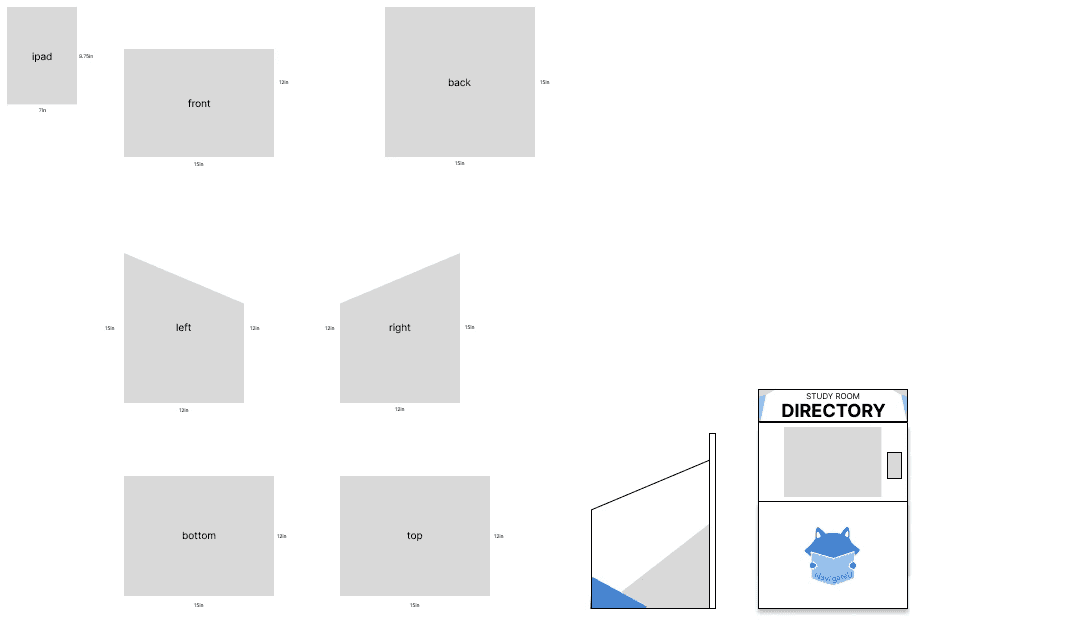
First, we started out by modeling the physical prototype that is smaller than the actual implementation but enough to improve the actual user experience.
Physical Prototype Modeling
Physical Prototype Modeling
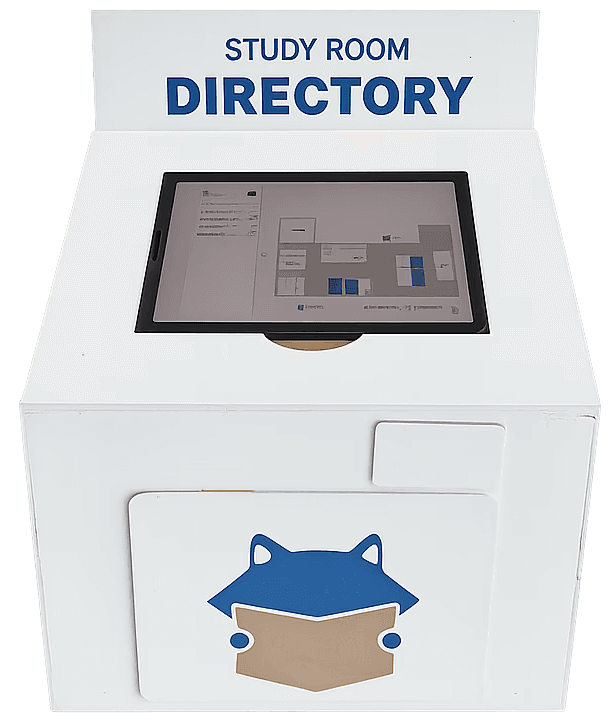
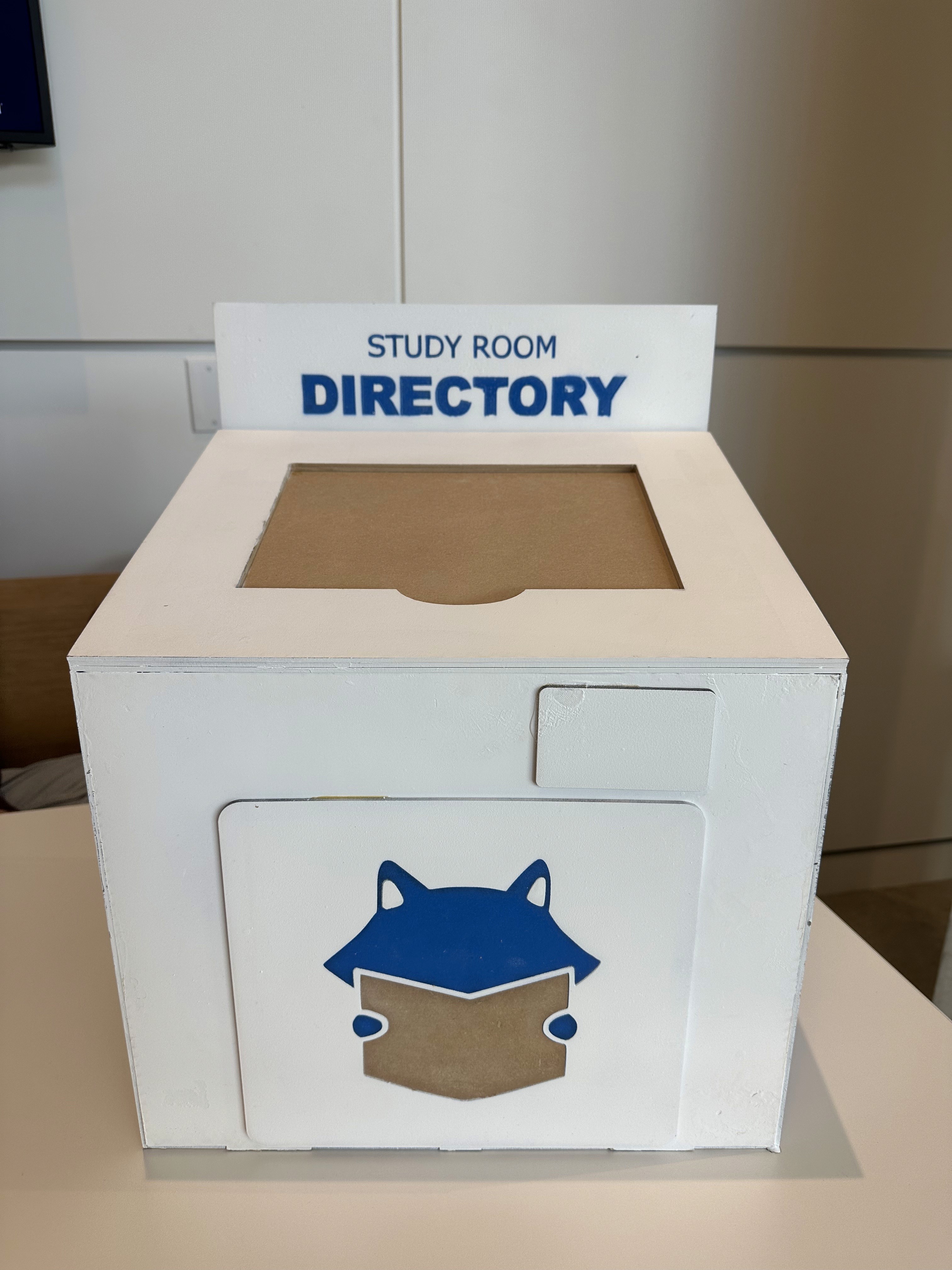
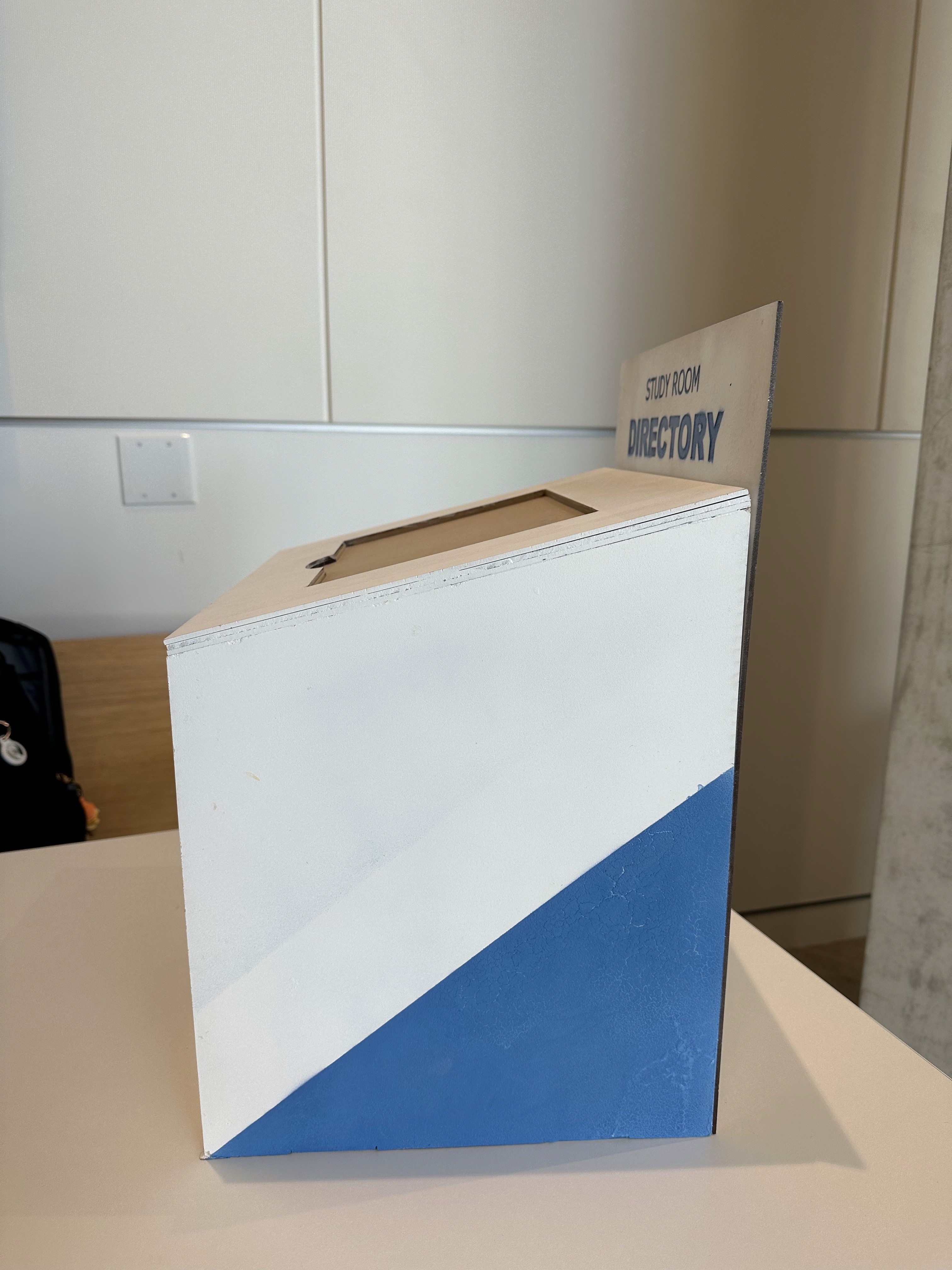
We built a physical prototype using laser-cut wood panels, Inkscape for wood cutting, hand-painting, and a clean visual identity meant to blend into Geisel naturally. We focused on making it simple, a large angled screen, bold because when you're stressed out for searching spaces, the last thing you need is a confusing object. We also added a small NFC pad for phone tapping.
Physical Prototype Final Version
Physical Prototype Final Version
Physical Prototype Final Version
We built a physical prototype using laser-cut wood panels, Inkscape for wood cutting, hand-painting, and a clean visual identity meant to blend into Geisel naturally. We focused on making it simple, a large angled screen, bold because when you're stressed out for searching spaces, the last thing you need is a confusing object. We also added a small NFC pad for phone tapping.
Then, we designed the digital interface that solves the three biggest challenges students encountered:
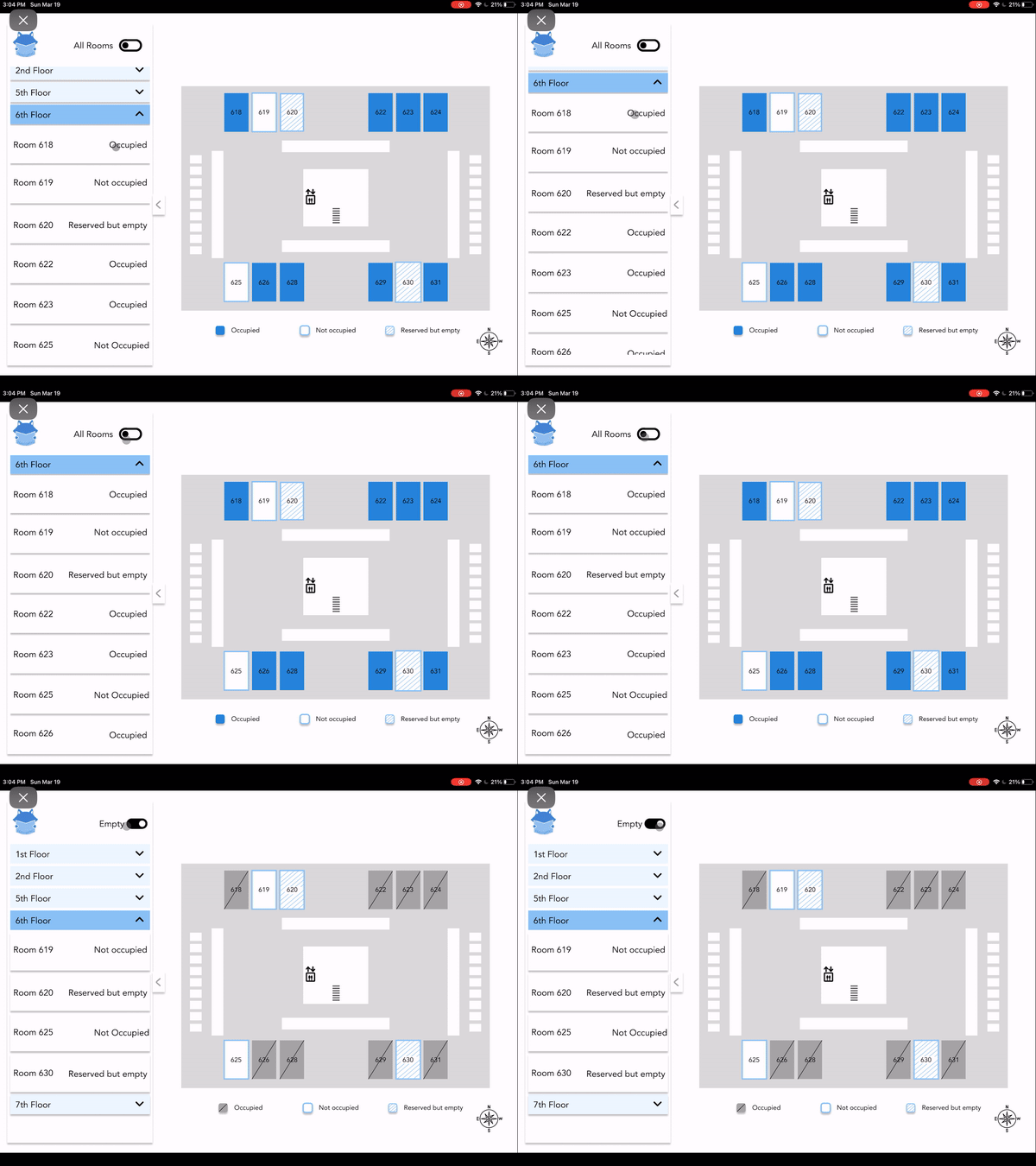
Real-time occupancy
Occupied
Not occupied
Reserved but empty (the most valuable category!)
"Empty rooms only" filter
Spatial understanding
Interactive map of every floor
Intuitive room locations and layout
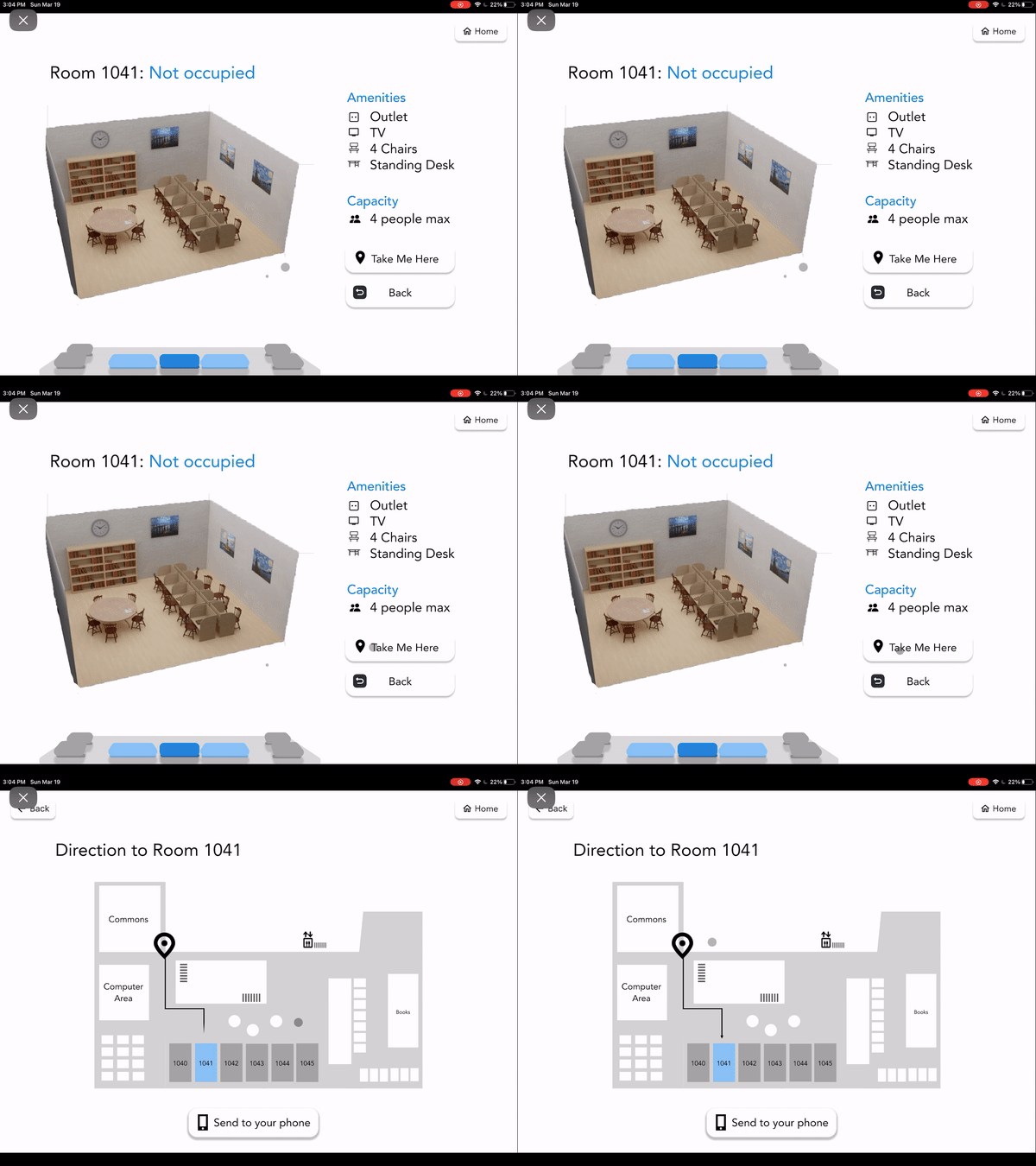
Amenities and capacity shown visually
Real-time occupancy
Occupied
Not occupied
Reserved but empty (the most valuable category!)
"Empty rooms only" filter
Spatial understanding
Interactive map of every floor
Intuitive room locations and layout
Amenities and capacity shown visually
Fast decision-making
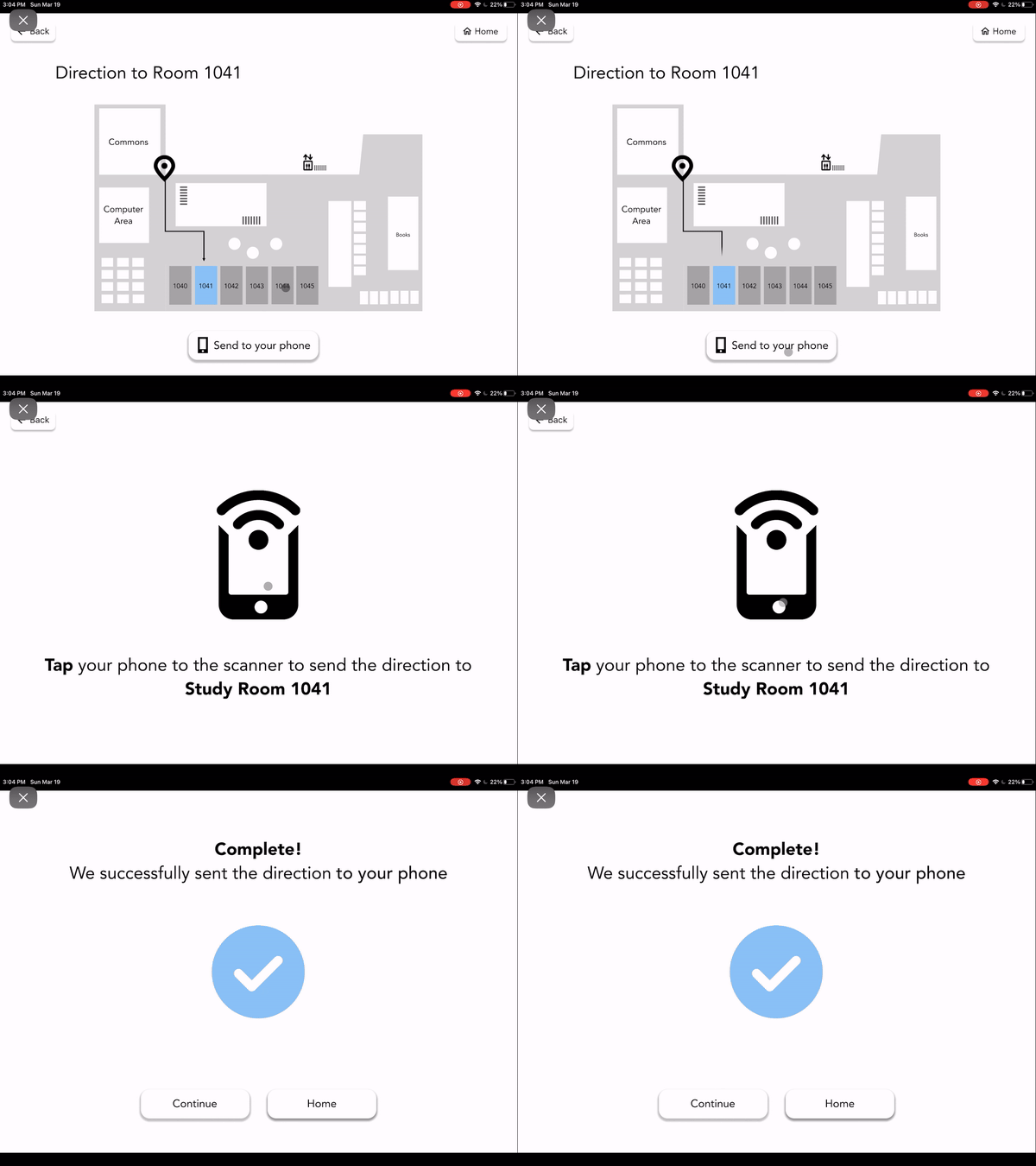
Turn-by-turn directions from kiosk to room
Tap phone → direction instantly sent to the phone
Help button to guide users how to interact with the kiosk
Fast decision-making
After tap, direction is instantly sent to the phone
Help button to guide users how to interact with the kiosk
User testing that validated the design
User testing that validated the design
Fast decision-making
After tap, direction is instantly sent to the phone
Help button to guide users how to interact with the kiosk
User testing that validated the design
To see if the system actually solved real problems, we brought in 10 students and asked them to complete tasks:
Find room 1041
Check empty rooms on the 7th floor
Filter to see empty rooms only
Send directions to their phone
Based on the research, the average satisfaction score across participants was 4.625 out of 5. Students mainly said how they love that it tells them if a room is 'reserved but empty,' would save them so much time, and that the interface is very explicit and easy to use. And interestingly, some users said they didn't even realize how much time they wasted before, until they used this interface.
To see if the system actually solved real problems, we brought in 10 students and asked them to complete tasks:
Find room 1041
Check empty rooms on the 7th floor
Filter to see empty rooms only
Send directions to their phone
Based on the research, the average satisfaction score across participants was 4.625 out of 5. Students mainly said, how they love that it tells me if a room is 'reserved but empty, would save them so much time, and the interface is very explicit and easy to use. And interestingly, some users said they didn't even realize how much time they wasted before, until they used this interface.
What this project taught me
Through working on this project with amazing teammates, one being the woodworking expert, others being Figma expert, I was able to learn how to design for both digital and woodworking medium alongside of them. NavigateU also taught me that the most effective solutions often emerge only after we’re willing to abandon our first notion. Listening to how students actually behave, not how we assumed they behaved, pushed our team to redesign the entire system around navigation instead of reservation.
If I were to continue this project, I would:
– design 3D floor plan for more hi-fi prototype,
– integrate live occupancy data with Geisel’s existing booking system,
– add a room search and accessibility filters (e.g., quiet, wheelchair-accessible),
– and explore a responsive web version for students who want the same clarity on their phones before they even leave home.
For more details about NavigateU, please email me at janetteylim@gmail.com.
Through working on this project with amazing teammates, one being the woodworking expert, others being Figma expert, I was able to learn how to design for both digital and woodworking medium alongside of them. NavigateU also taught me that the most effective solutions often emerge only after we’re willing to abandon our first notion. Listening to how students actually behave, not how we assumed they behaved, pushed our team to redesign the entire system around navigation instead of reservation.
If I were to continue this project, I would:
– design 3D floor plan for more hi-fi prototype,
– integrate live occupancy data with Geisel’s existing booking system,
– add a room search and accessibility filters (e.g., quiet, wheelchair-accessible),
– and explore a responsive web version for students who want the same clarity on their phones before they even leave home.
For more details about NavigateU, please email me at janetteylim@gmail.com.